Beta

From topic or website to published post

Turn your idea — or your website — into slides and video

Paste a URL or describe what you want to talk about. SlidePress writes your slides, creates on-brand images, adds a natural AI voice, generates platform captions, and lets you export or post to TikTok, Instagram, and YouTube — all in one workspace.

Free to start · No credit card · Upgrade when you need video & direct posting

We're still in beta — features and limits may change as we ship updates.

Coming soonApp Store
Coming soonGoogle Play

One campaign, three ways to post

Carousel, narration, or video — you choose

Same topic, same workflow. Pick what fits the platform — or export all three without starting over.

Carousel slides

4:5 feed

Download a zip of ready-to-post images with your headline on every slide. Add 9:16 later from the same campaign.

AI narration

MP3 audio

Hear your slides spoken aloud — preview the voice, then export per-slide or full read-through.

Reel-ready video

4:5 or 9:16

One tap exports an MP4 with your slides and AI voiceover stitched in. Optional burned-in captions on Quick Reel.

Built for creators, not designers

Everything happens in one simple flow

No timelines, layers, or five different apps. Start from a URL or a sentence — publish when you're ready.

Step 1

Tell us your topic — or paste your site

Type a pain point, product, or idea — or paste your website URL for AI campaign suggestions. Pick 4:5 for feed carousels or 9:16 for Reels and Shorts.

  • Website URL → topic cards or full draft in one action
  • 3, 5, or 7 slides
  • Optional product & style photos
  • Separate workspaces per brand or client
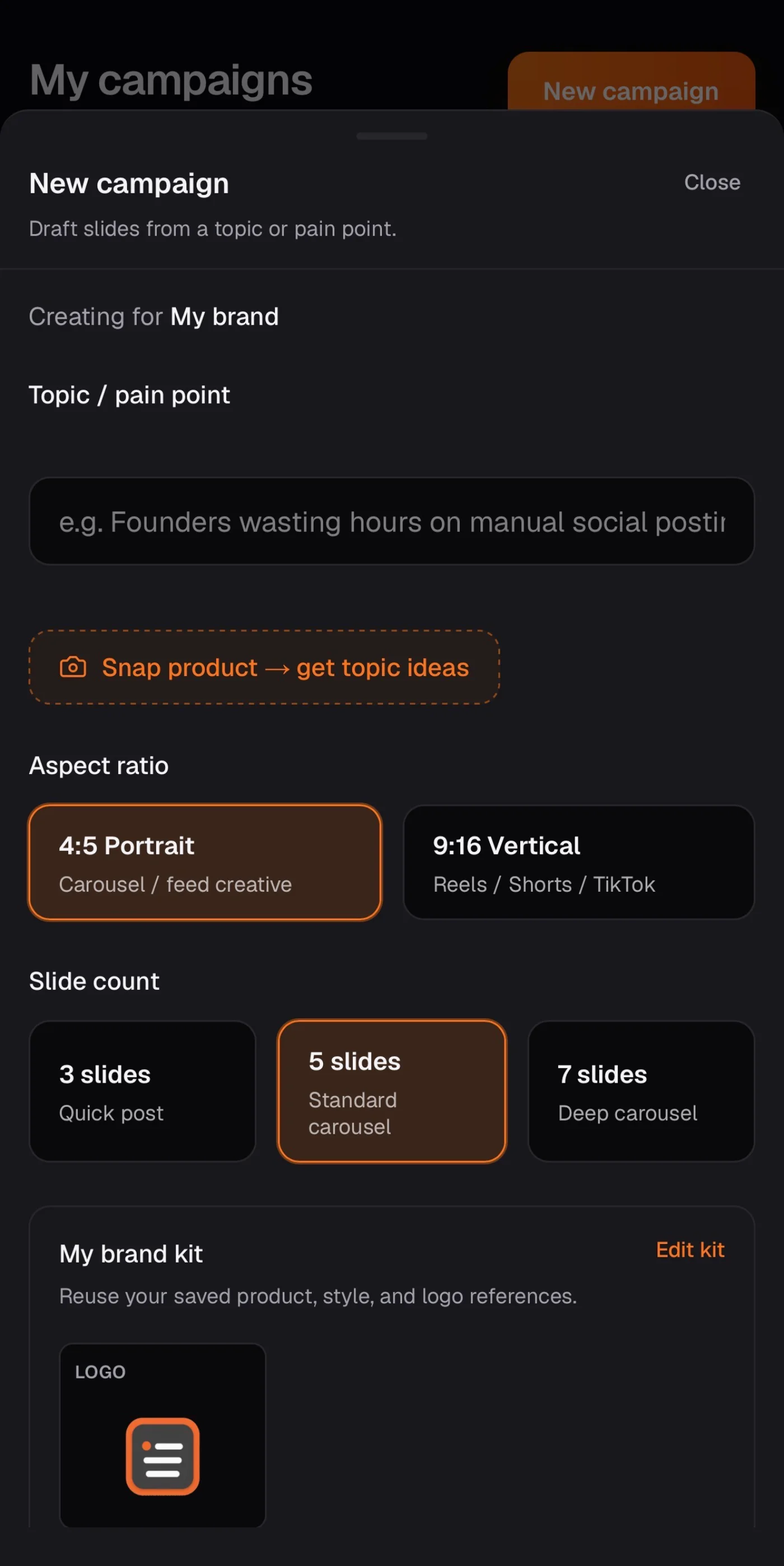
SlidePress new campaign screen with topic and format options

Step 2

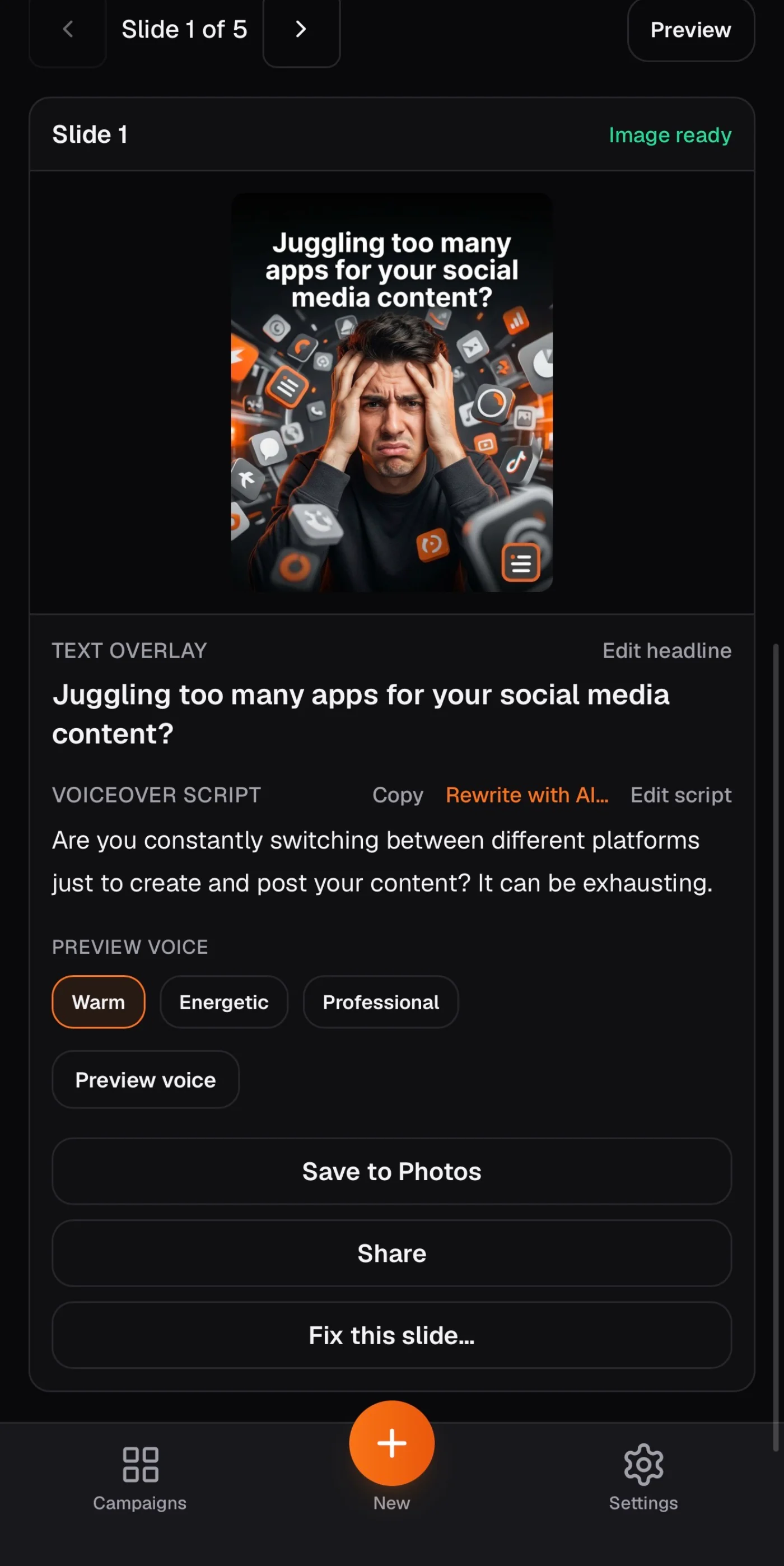
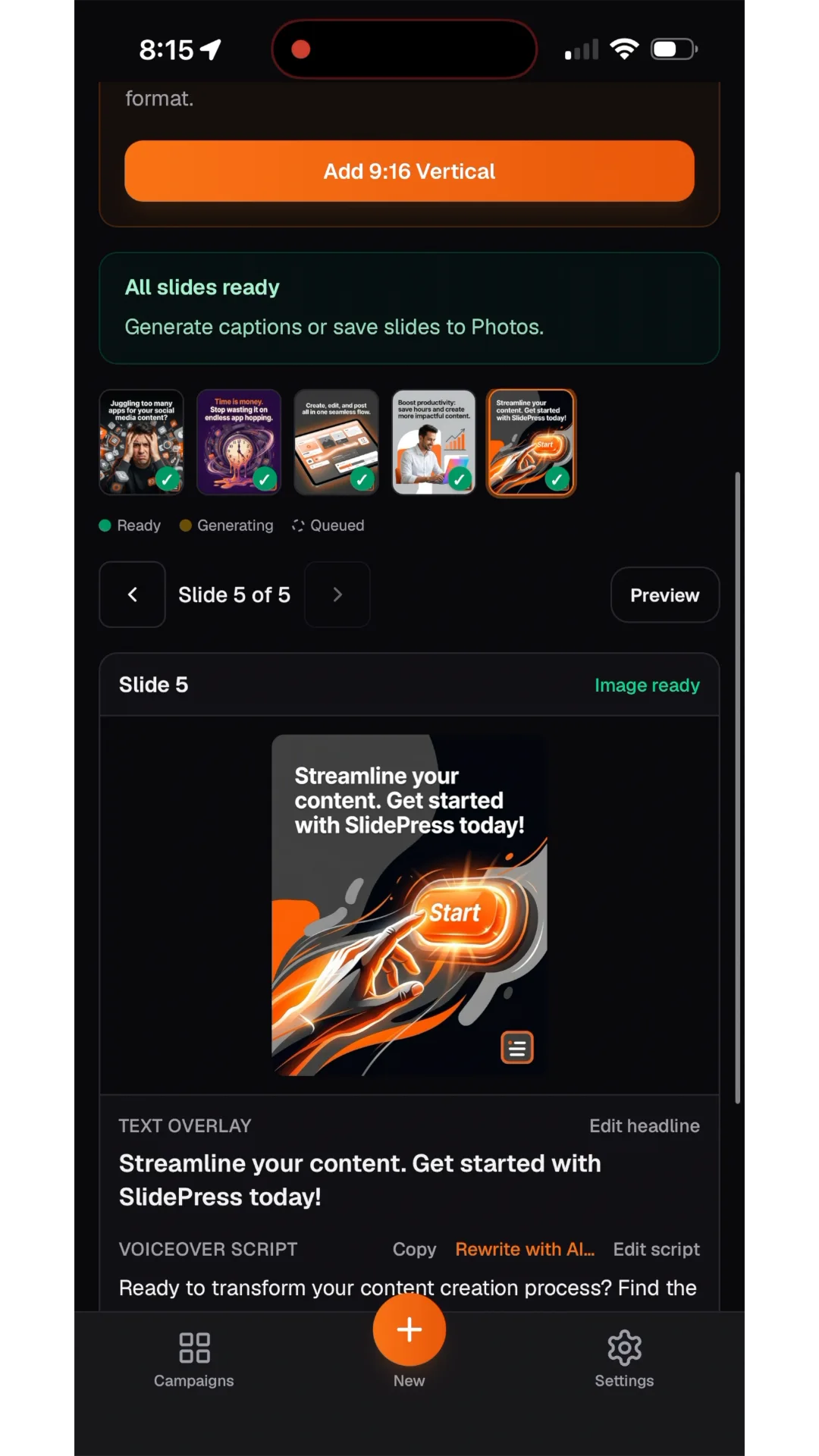
Slides & images appear

AI writes each slide’s headline and voiceover script, then generates on-brand images with your text already on the creative.

  • Edit any headline in one tap
  • Rewrite voiceover with AI
  • Regenerate a single slide if needed
  • Add the other format when primary images are ready
SlidePress slides workspace showing generated carousel images

Step 3

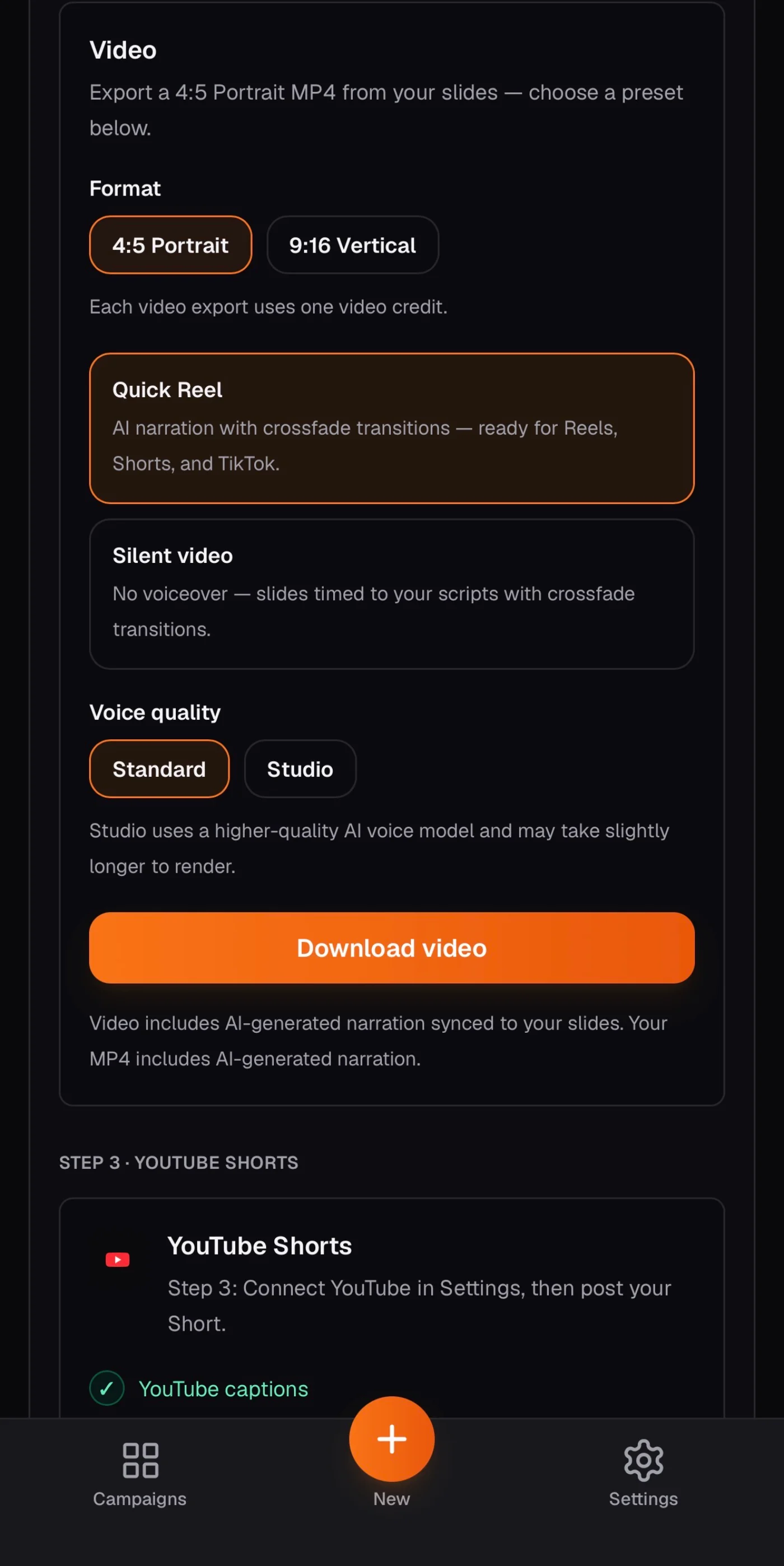
Voice, captions & export

Preview how your slides sound, copy captions for each platform, then download your zip, narration, or finished video — or post directly.

  • Natural AI voices — warm, confident, energetic, or professional
  • TikTok, Instagram & YouTube copy included
  • Save to Photos or share from the mobile app
  • Schedule posts on Creator & Agency plans
SlidePress publish screen with captions and export options

Step 4

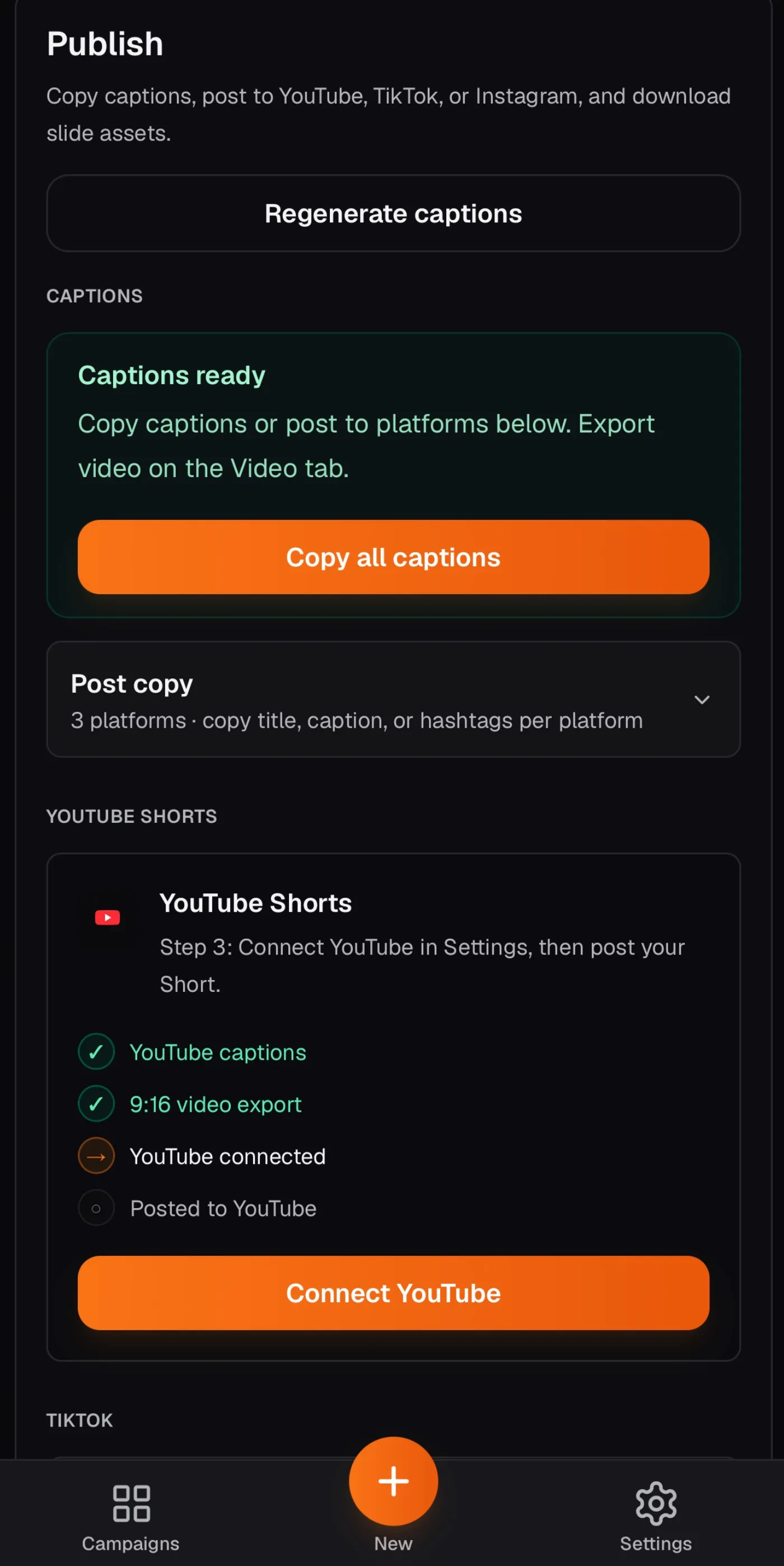
Post to YouTube, TikTok, and Instagram from your campaign

Connect your accounts once in Settings. When your video or carousel is ready, post directly from the Publish tab — or schedule for later on paid plans.

  • YouTube Shorts from your 9:16 video export
  • TikTok Direct Post — public posts with compliant pre-publish controls
  • Instagram Reels (9:16) and carousel (4:5)
  • Platform captions auto-generate when images finish

Platform connections required. Post to YouTube Shorts, TikTok, and Instagram (Reels + carousel) from the Publish tab.

SlidePress publish screen with platform posting and captions

How it works

Five steps from idea to post

Most campaigns are ready in under five minutes. You stay in control — edit headlines, retry a slide, or re-export anytime.

  1. 1Enter your topic or paste your website
  2. 2Slides & images generate
  3. 3Preview voice & edit copy
  4. 4Export carousel, audio, or video
  5. 5Post or schedule to connected platforms

Works where you post

Captions are written for the platforms creators use every day. Export 4:5 for feed carousels or 9:16 for vertical video — then post directly from SlidePress.

  • TikTok
  • Instagram
  • YouTube Shorts

Connect YouTube, TikTok, or Instagram in Settings and publish from your campaign. Free includes one platform connection; paid plans unlock all three.

4:5 carousel9:16 ReelsAI voiceoverDirect postSchedule (paid)

iPhone & Android

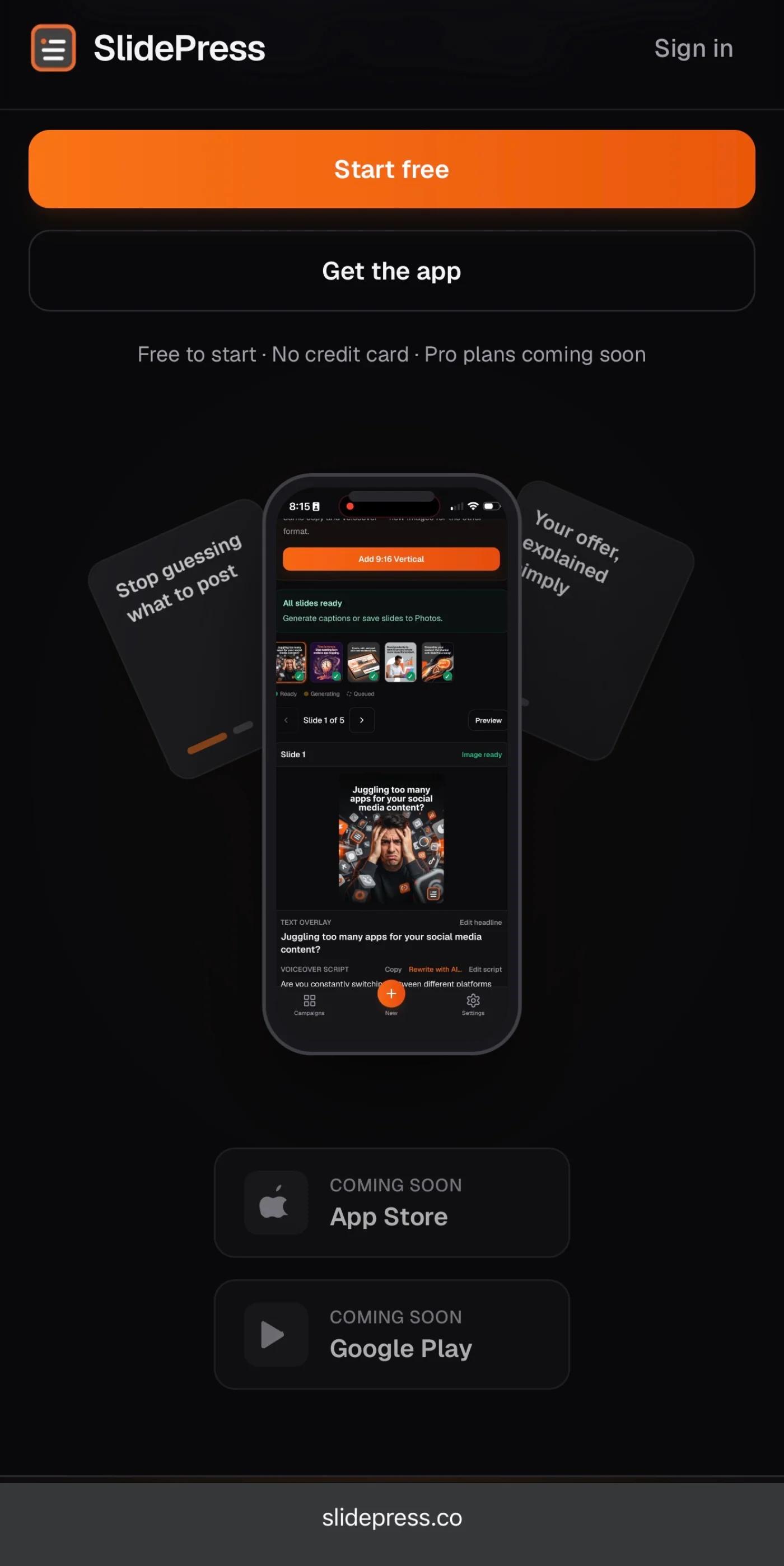
Create on your phone. Save straight to Photos.

The SlidePress app is the same experience you get on the web — optimized for thumbs. Save every slide, share your narration, or export a video MP4 without plugging into a computer.

  • · Sign in with Google, Apple, or email
  • · Save all slides to your camera roll in one tap
  • · Share video exports via the system share sheet
  • · Push alerts when images or your full draft are ready
  • · Home screen widgets — continue a campaign or start new
Coming soonApp Store
Coming soonGoogle Play

Apps launch soon on the App Store and Google Play. Use the web app free in the meantime — your campaigns sync everywhere.

SlidePress mobile app
Start on the web

Same account on web, iPhone, and Android

Simple pricing

Start free. Upgrade when you post every week.

Same workflow on web, iPhone, and Android. Paid plans add video export, narration downloads, all platform connections, and scheduled publishing.

Free

$0

Prove the workflow — export slides and captions anywhere

  • 2 campaigns / month
  • 4 slide regenerations / month
  • 4 voice previews / month
  • 1 brand workspace
  • 1 platform connection
  • Carousel zip + platform captions
  • Direct post to 1 connected platform
Get started free

Creator

Most popular

$24 / mo

Post every week with video export and all platforms

  • 10 campaigns / month
  • 20 slide regenerations / month
  • 10 video exports / month
  • 30 voice previews / month
  • 3 brand workspaces
  • 5 narration exports / month
  • YouTube, TikTok & Instagram
  • Schedule posts for later
See plans in app

Agency Pro

High volume

$79 / mo

Multiple client brands at volume

  • 30 campaigns / month
  • 60 slide regenerations / month
  • 20 video exports / month
  • 60 voice previews / month
  • 15 brand workspaces
  • 15 narration exports / month
  • YouTube, TikTok & Instagram
  • Schedule posts for later
See plans in app

iOS and Android subscriptions via App Store / Google Play at $29.99 / mo and $99.99 / mo. Upgrade anytime in Settings → Usage after you sign in.